HiLight Studio app unlocks full customisation for Pixel 11 LED
A new application from developer Dhananjay_Tech expands the limited functionality of Google’s HiLight notification LED, allowing users to control colour, brightness, and animation patterns on the Pixel 11 Pro.
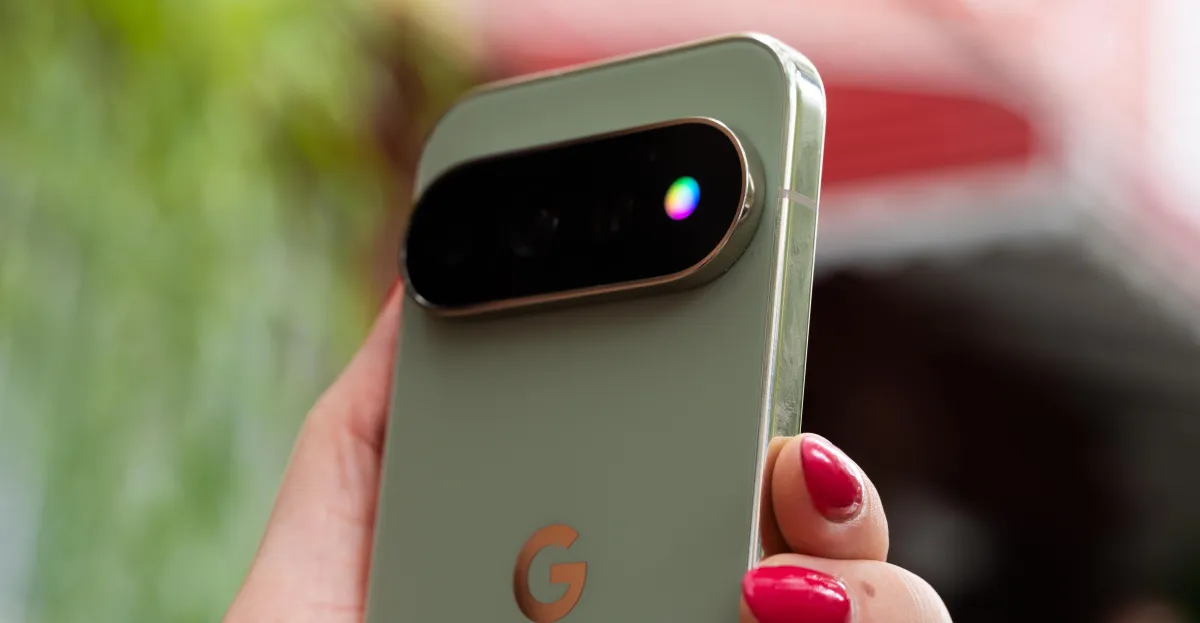
Google’s new HiLight notification LED on the Pixel 11 Pro has been criticised for its limited out-of-the-box functionality. As it stands, the feature only activates when the phone is face down during interactions with Gemini or when a call is received from a favourite contact. Furthermore, the default settings restrict the light to a choice of only five colours, a limitation that has drawn attention from the developer community.
In response to these constraints, X user Dhananjay_Tech has released an application called HiLight Studio. The app is designed to overcome the restrictions of Google’s default configuration by enabling users to fully customise the HiLight LED array. It allows for granular control over colour, brightness, intensity, and saturation, as well as the timing of each animation cycle.
Users can select any colour through eight preselected options or by using a standard colour slider, moving beyond the five-colour limit imposed by the manufacturer. The application also supports the import and export of presets, facilitating the sharing of custom configurations between users.
The app enables specific use cases that were previously unavailable, such as triggering a rainbow pulse for specific Slack notifications or a green wave for new text messages. This level of control addresses what some users describe as a missed opportunity for a feature that was widely appreciated on older Android devices.
HiLight Studio is not yet available on the Google Play Store. Instead, it is distributed via GitHub, requiring users to sideload the software to install it. To function correctly, the app requires users to unlock developer settings and adjust specific configurations on their devices.
While the installation process is more complex than a standard app download, the additional customisation options may justify the effort for tech-savvy users. The release highlights a growing trend of third-party developers stepping in to enhance hardware features that manufacturers have left underutilised.