Audacity 4 rebuilds the free audio editor for modern workflows
Audacity 4 adds non-destructive editing, overlapping clips and a redesigned interface to the long-running audio application.
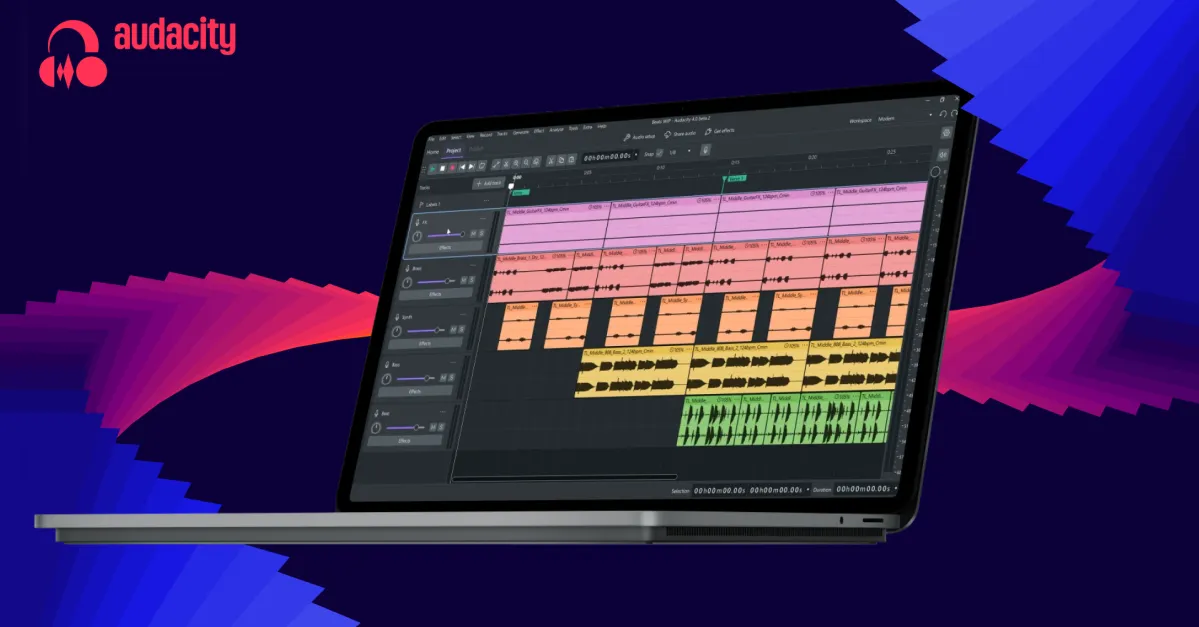
Audacity 4 brings a substantial redesign to the free audio editing and recording application, updating both its editing workflow and visual interface. The Verge reported the release as a major refresh for software that has remained largely consistent since its debut in 2000.
The central change is non-destructive editing. Users can trim a clip and later recover the removed audio by dragging the clip edge back out, allowing changes to be revised without permanently altering the underlying material.
Clips can now overlap and be split, giving users more flexibility when arranging audio on the timeline. Audio can be pasted into occupied space, moved past other clips and rearranged without the constraints of the previous workflow.
The update also refreshes clip envelopes and built-in effects, while adding a home screen and revamped project organisation. A redesigned interface aligns Audacity more closely with Muse’s other products, including MuseScore and Audio.com, and introduces customisable themes.
Audacity had attracted criticism as new features were added to an increasingly old-fashioned layout. Audacity 4 moves the application closer to a modern digital audio workstation, while the available material does not establish it as a full professional DAW.