WIRED guide offers technical steps to curb smartphone scrolling via lock screen configuration
New instructions for Android and iOS users suggest populating lock screens with widgets and notifications can minimise the temptation to unlock devices and engage with apps.
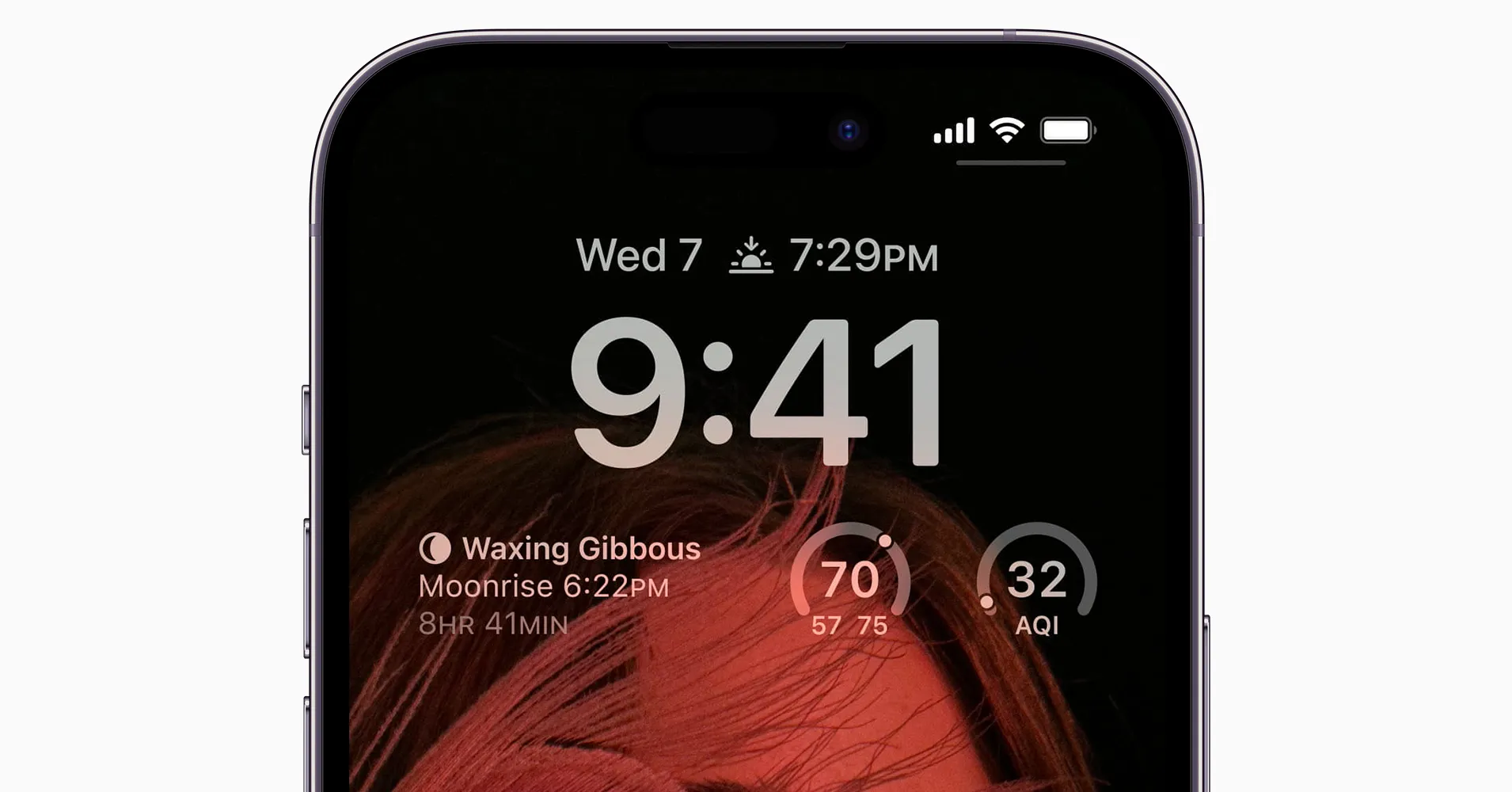
WIRED published a guide on 19 May 2026 detailing how to configure always-on display and lock screen settings on Android and iPhone devices to reduce smartphone usage. The article suggests that populating the lock screen with notifications and widgets allows users to view essential information at a glance, thereby reducing the frequency of unlocking the phone and preventing distraction from scrolling through apps.
The guide provides specific steps for Google Pixel, Samsung Galaxy, and iPhone models, including enabling always-on display features, adjusting notification visibility, and adding widgets for weather, sports, and news. This approach aims to break the cycle of frequent device checks by ensuring critical updates are visible without requiring full authentication or app navigation.
For Android devices, including recent Google Pixel models, users can access these settings via the Display and touch menu. The guide advises enabling the Always-on display toggle and configuring Lock screen notifications to show full cards or snippets. It also highlights the Widgets on lock screen option, which allows for one-swipe access to tools such as camera shortcuts and weather forecasts.
Samsung Galaxy users are directed to the Lock screen and AOD settings to enable the Always On Display. The guide recommends selecting the Cards notification style and ensuring content is shown while locked to maximise information visibility. Users can further customise the experience by adding widgets for calendar events and news updates through the lock screen edit mode.
On iPhones, the configuration involves navigating to Display & Brightness to activate the Always On Display and enabling Show Notifications. The guide suggests selecting the List notification layout and setting Show Previews to Always to display snippets of content. Similar to Android, iOS users can add widgets for email and news by pressing and holding on the lock screen to enter edit mode.
Privacy concerns are noted within the guide, as enabling these features may expose sensitive information to bystanders. The article advises users to be aware of this risk and consider hiding content in public spaces, particularly for messaging apps containing personal data. The effectiveness of these settings may vary depending on individual user habits and the specific apps installed.
The article does not provide empirical data or studies to substantiate the claim that configuring lock screens significantly reduces overall smartphone usage or improves digital wellbeing. While the guide implies that reducing unlock frequency is a primary method for tackling excessive phone use, it acknowledges that this may oversimplify the complexity of digital addiction and habit formation.