OpenAI introduces Lockdown Mode to mitigate prompt injection risks
The AI giant rolls out enhanced protections for users handling confidential information, alongside a new session management tool.
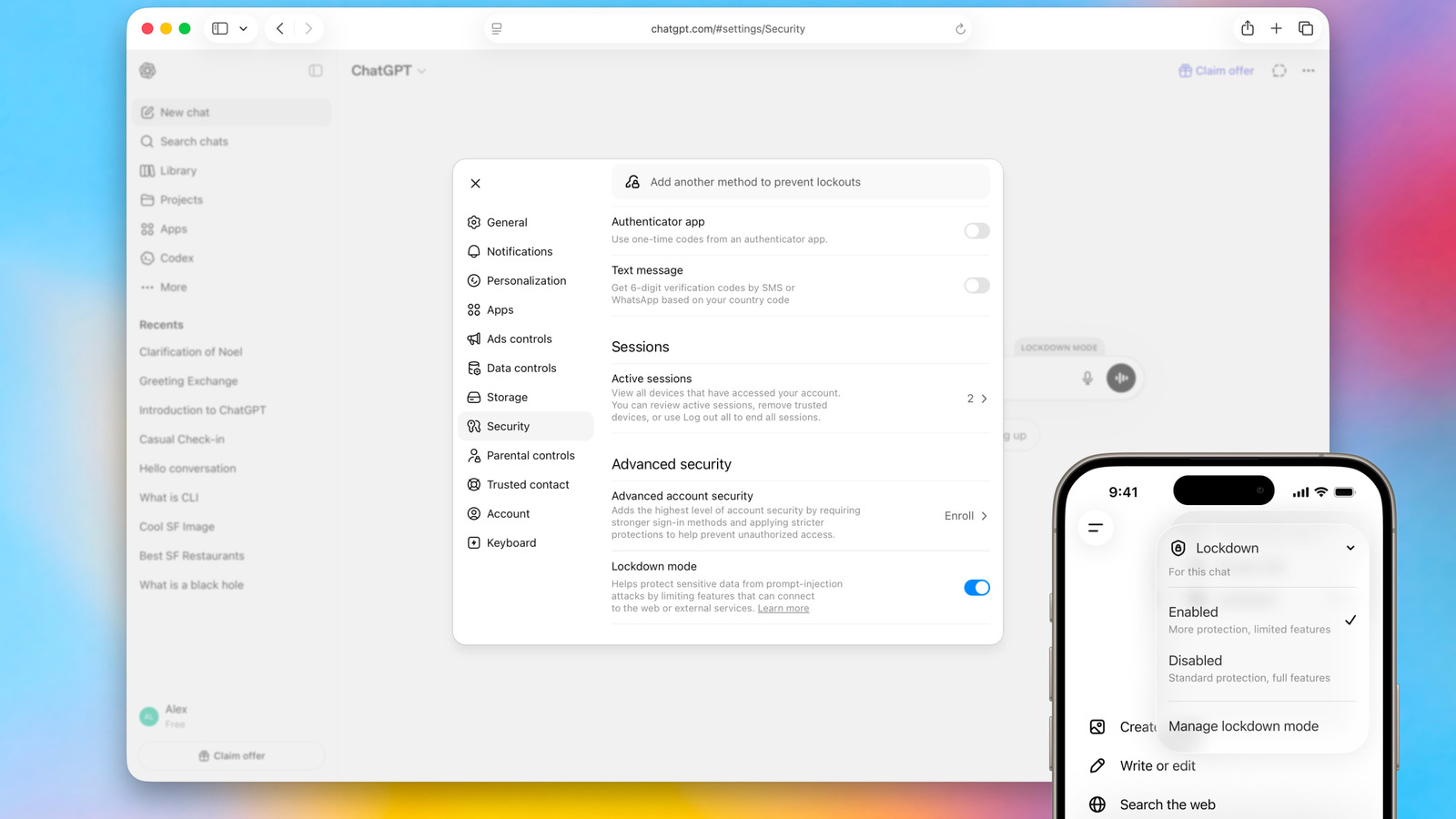
OpenAI has begun rolling out Lockdown Mode, an optional security setting for ChatGPT designed to shield users handling sensitive data from prompt injection attacks and data exfiltration. The feature is available to all personal accounts, including those on the free tier, and can be activated via the Safety and security settings menu under Advanced security.
Prompt injection is a form of social engineering specific to conversational chatbots, where malicious instructions are hidden on webpages or other locations to trick AI systems. As AI capabilities for internet retrieval have advanced, the risk of these attacks has increased. OpenAI positions Lockdown Mode as a last line of defence, building upon the robust protections already present in ChatGPT, its models, and backend systems.
Enabling the mode restricts specific functionalities to mitigate risks. It prevents the chatbot from pulling images from the internet or displaying images in responses, and disables file downloads for analysis, although manual uploads remain possible. Additionally, Deep Research and Agent Mode are completely disabled. OpenAI notes that the feature does not alter memory retention, file upload capabilities, conversation sharing, or the use of conversations for model improvement.
The company states that Lockdown Mode is not intended for everyone, as most users do not require this level of restriction. It is specifically designed for individuals and organisations that handle sensitive data and seek stricter protection against data exfiltration risks. Users can temporarily disable the protection for a specific chat via the status message above the chat window.
Concurrently, OpenAI is introducing an active session manager that allows users to view devices and browsers accessing their accounts and terminate sessions individually or globally. The logout process for all sessions may take up to 30 minutes to complete. OpenAI advises users who suspect unauthorized activity to change their password and contact support.