Google rolls out visual overhaul for Workspace apps ahead of I/O
The tech giant’s latest update marks a departure from the uniform outline style introduced five years ago, arriving just before the developer conference begins on Tuesday.
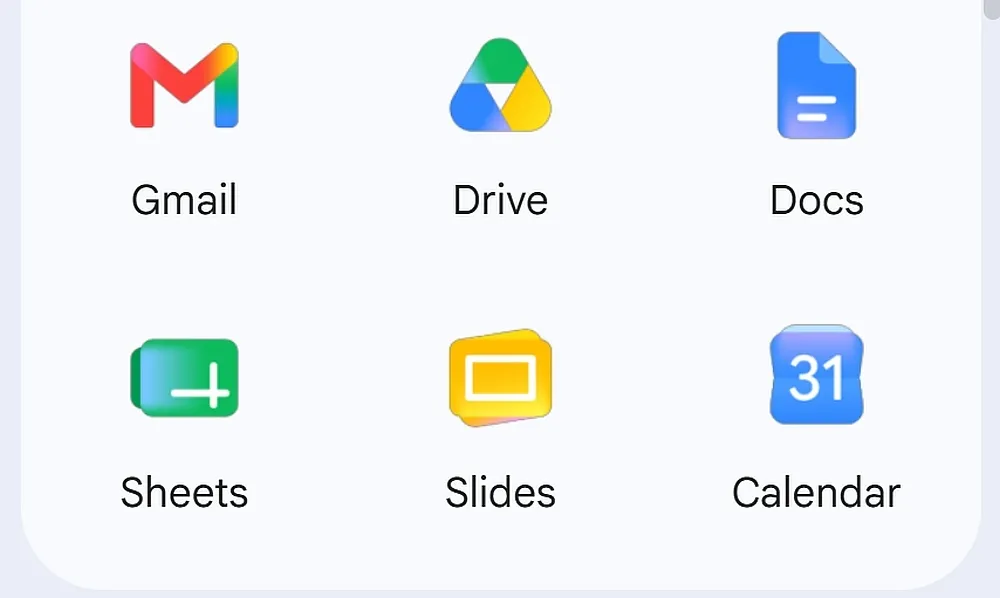
Google is widely rolling out redesigned icons for its Workspace applications, including Gmail, Docs, Sheets, Chat, Meet, Calendar, Drive, and Keep. The update introduces soft colour gradients that fade from lighter to darker shades, replacing the flat tone that characterised the previous design language. This visual shift mirrors the gradient aesthetic introduced with the company’s new logo one year ago.
The redesign addresses longstanding criticism regarding the lack of visual differentiation in the current interface. It marks a significant departure from the uniform outline style introduced approximately five years ago, which replaced individual defining characteristics with outlines composed of Google’s four signature colours. The new approach aims to make the icons stand out more distinctly from one another.
Specific applications have undergone notable changes to their shapes and orientations. Google Chat, Meet, and Calendar have switched from rainbow designs to single-colour schemes. Meanwhile, Google Sheets and Slides icons have been switched to landscape mode to align with typical usage patterns, although they retain their original colours and general approach.
Other apps have seen more subtle adjustments. The Google Drive icon has received rounded corners and lost the red spot previously located in the bottom right corner. Google Keep has lost its border, now appearing as a yellow light bulb rather than a bulb on a yellow rectangle. The Gmail icon has been updated for a cleaner look, though the changes are less significant compared to other apps.
The rollout occurs ahead of the Google I/O conference scheduled to begin on Tuesday. While the exact global availability or phased deployment schedule is not specified, the timing suggests that further visual changes to the ecosystem may be announced during the event. It remains unclear whether the landscape orientation for Sheets and Slides is a permanent change or part of a broader user interface shift.