Cricut Joy 2 delivers quick craft wins but app onboarding frustrates beginners
A three-week test of the $99 smart cutting machine reveals strong physical capabilities but highlights significant friction in the digital setup process.
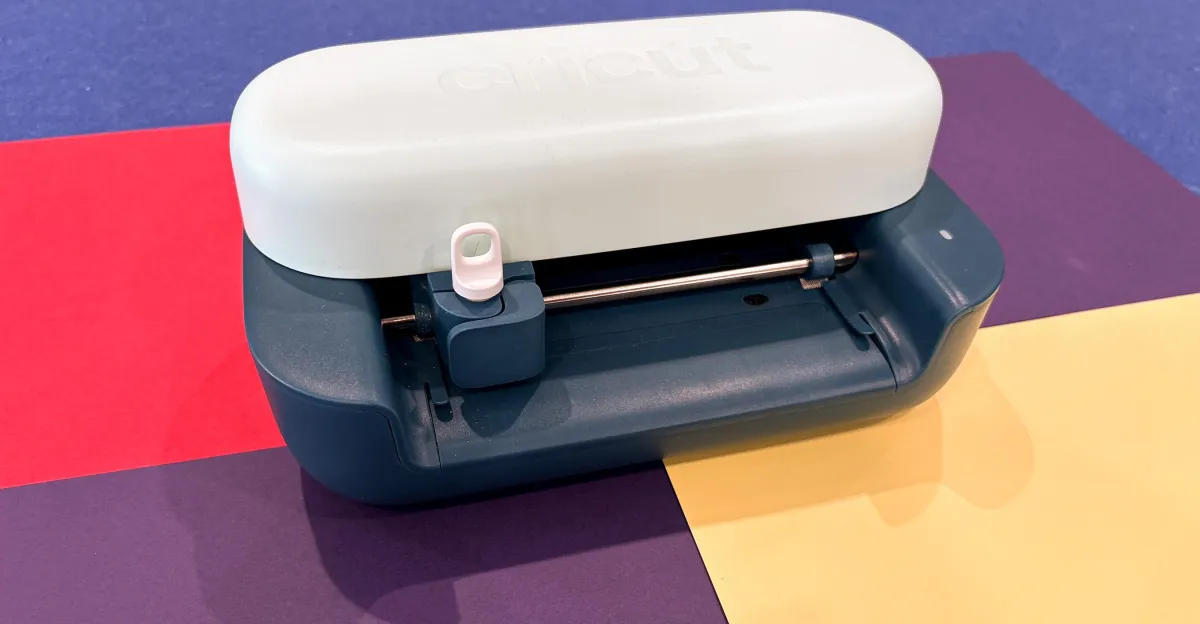
A new review of the Cricut Joy 2 suggests that while the hardware successfully delivers quick, satisfying results for simple crafts, the companion Design Space app suffers from a confusing onboarding process that lacks clear instructions for beginners. The device is marketed as an affordable entry point for DIY enthusiasts, yet the reviewer found that getting started with the machine and its software took more effort than anticipated despite the hardware's physical simplicity.
During a three-week test period using the Ultimate Plus Bundle, the reviewer noted that the machine itself was capable of executing a "print then cut" feature effectively. This allows users to print full-colour designs with a standard printer and have the Joy 2 precisely cut them out, a function that worked well for creating stickers and cards. However, the reviewer highlighted that the application interface buried helpful tutorials and project checklists, making it difficult for visual learners to find the guidance needed to align materials correctly.
The physical limitations of the device also present constraints for users looking to undertake larger projects. Although the machine can technically handle larger designs, it is limited to cutting approximately 4.5 inches at a time. Consequently, creating larger items requires splitting the design into multiple sections and performing manual assembly, a process that may frustrate beginners expecting a fully automated result.
For those requiring more advanced capabilities, the review suggests looking toward more expensive models. Users wanting to cut thicker materials like fabric or leather should consider the Cricut Maker 4, while those needing to produce larger designs more frequently might prefer the Cricut Explore 5. These alternatives address the size and material limitations inherent in the Joy 2's design.
To assist with the learning curve, Cricut offers a free 30-day trial of Cricut Access, which costs $9.99 per month thereafter. This subscription provides access to templates, tips, and guided projects created by the company and the community. The reviewer found that engaging with these structured resources helped overcome the initial confusion, allowing the machine to deliver the quick wins necessary to reignite creative pursuits.
Ultimately, the Cricut Joy 2 remains a fun and relatively inexpensive gadget for small-scale crafting. While the reviewer acknowledged that the app's interface could be improved to better match the machine's beginner-friendly marketing, the hardware proved effective for those willing to navigate the initial setup hurdles.